Author: Shaun Goyal

  • How to Start Using AI to Make Money: The Ultimate Guide for 2025

    How to Start Using AI to Make Money: The Ultimate Guide for 2025

    Turn artificial intelligence into your personal money-making machine with these proven strategies and tools

    The AI revolution isn’t coming—it’s already here. With over 52% of U.S. adults now using AI tools like ChatGPT and Gemini, artificial intelligence has become one of the fastest-adopted technologies in history. More importantly, savvy entrepreneurs are already earning significant income by leveraging these powerful tools.

    Whether you’re looking to replace your 9-to-5 or create a profitable side hustle, AI offers unprecedented opportunities to generate income with minimal upfront investment. The best part? You don’t need technical expertise to get started.

    This comprehensive guide reveals the most profitable AI-powered income streams for 2025, complete with step-by-step instructions, recommended tools, and real earning potential. Let’s dive into how you can transform your financial future using artificial intelligence.

    Why AI is the Ultimate Money-Making Opportunity

    The numbers don’t lie. 61% of buyers are willing to pay extra for AI-enhanced products and services, while the global AI market is projected to reach $1.5 trillion by 2030. This massive growth creates endless opportunities for individuals to capitalize on AI’s capabilities.

    Here’s why AI represents the perfect storm for making money:

    • Low barrier to entry: Most AI tools cost less than $50/month to access
    • Scalable income potential: Automate tasks and serve multiple clients simultaneously
    • High demand: Businesses desperately need AI solutions but lack expertise
    • Future-proof skills: AI literacy will become as essential as computer literacy
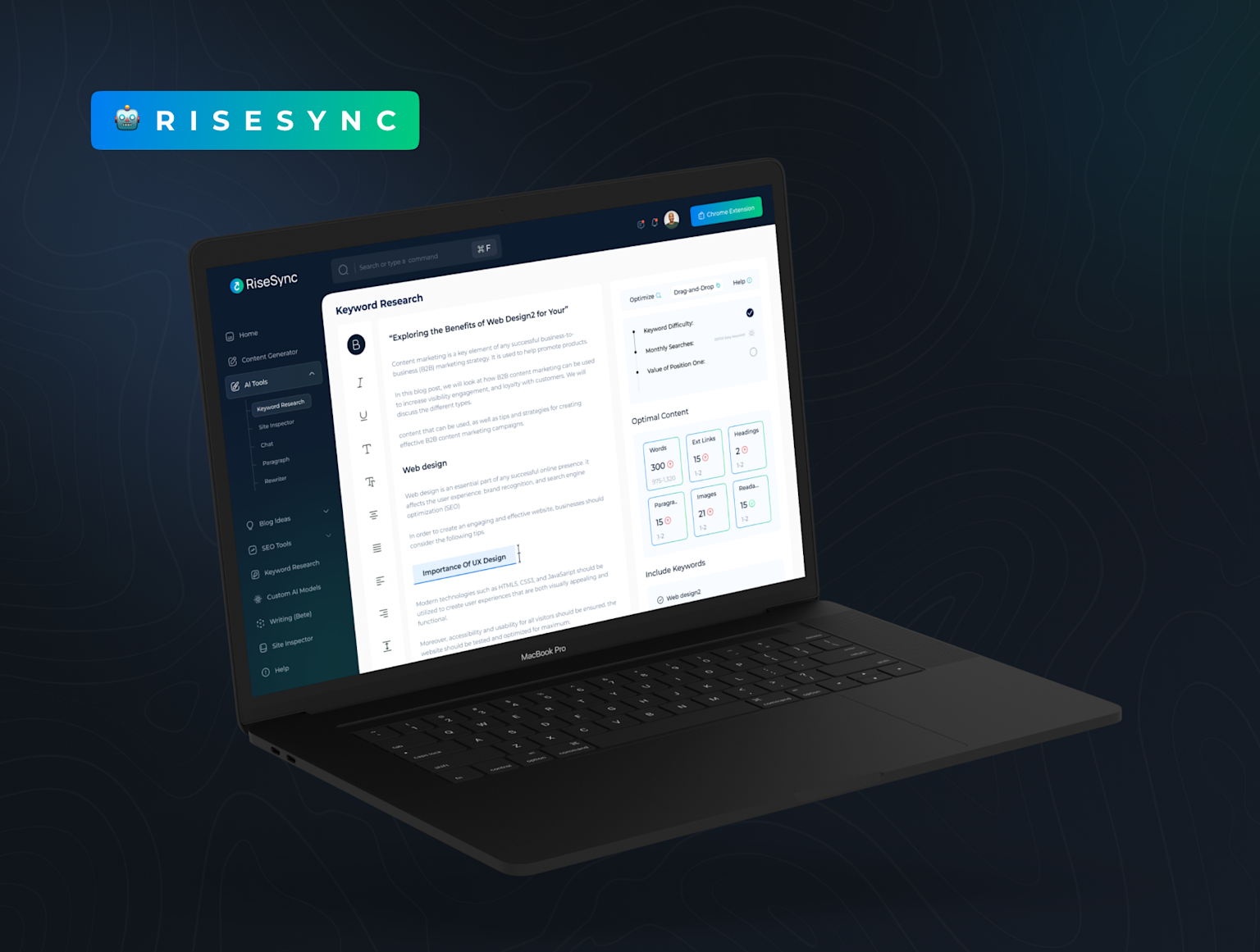
    RiseSync AI writing tool dashboard shown on laptop, featuring keyword research and content optimization for SEO

    RiseSync AI writing tool dashboard shown on laptop, featuring keyword research and content optimization for SEO 

    The Top 10 AI Money-Making Opportunities for 2025

    1. AI-Powered Content Writing Services

    Earning Potential: $30-100+ per hour

    Content writing remains one of the most accessible and profitable AI applications. Using tools like ChatGPT, Jasper, or Copy.ai, you can produce high-quality articles, blog posts, and marketing copy at unprecedented speed.

    Getting Started:

    • Master prompt engineering techniques
    • Choose a profitable niche (SaaS, finance, health)
    • Build a portfolio using AI-generated samples
    • Join freelancing platforms like Upwork or Contently

    Pro Tools:

    • Grammarly: Advanced grammar and tone checking
    • Jasper: Enterprise-level content generation
    • Surfer SEO: AI-optimized content for search engines

    2. Create and Sell AI-Generated Artwork

    Earning Potential: $500-5,000+ per month

    The AI art market is exploding, with platforms like Etsy seeing massive demand for AI-generated designs. From custom portraits to digital prints, the possibilities are endless.

    Vibrant AI-generated digital artwork showcasing the creative potential of artificial intelligence in art and design

    Vibrant AI-generated digital artwork showcasing the creative potential of artificial intelligence in art and design 

    Revenue Streams:

    • Custom AI portraits ($25-100 each)
    • Stock image licensing
    • Print-on-demand merchandise
    • NFT collections

    Essential Tools:

    • Midjourney: Premium AI art generation
    • DALL-E 3: Integrated with ChatGPT
    • Canva AI: User-friendly design tools

    3. AI Chatbot Development for Small Businesses

    Earning Potential: $1,000-10,000 per project

    Small businesses are hungry for customer service automation but lack technical know-how. You can fill this gap by creating custom chatbots using no-code platforms.
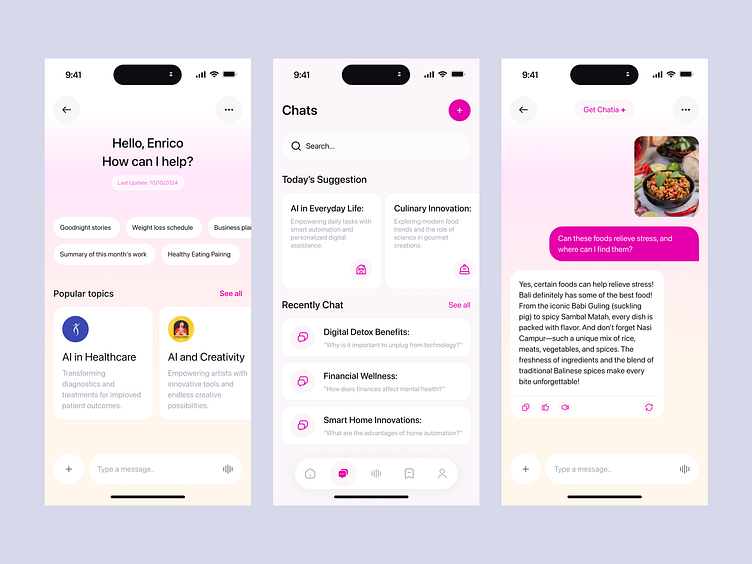
    Mobile AI chatbot app interface showing user interaction and AI-generated responses about diverse topics

    Mobile AI chatbot app interface showing user interaction and AI-generated responses about diverse topics 

    Target Markets:

    • Restaurants and cafes
    • E-commerce stores
    • Professional services
    • Healthcare practices

    Recommended Platforms:

    • Chatfuel: Easy Facebook Messenger bots
    • ManyChat: Multi-platform chatbot builder
    • Dialogflow: Google’s enterprise solution

    4. AI-Enhanced Social Media Management

    Earning Potential: $2,000-8,000 per month per client

    Social media management becomes exponentially more profitable when powered by AI. You can manage multiple clients simultaneously using automated content creation and scheduling tools.

    Services to Offer:

    • Automated content calendars
    • AI-generated captions and hashtags
    • Performance analytics and optimization
    • Community management automation

    Power Tools:

    • Buffer: AI-assisted scheduling
    • Hootsuite: Comprehensive social management
    • Canva AI: Automated design creation

    5. Launch an AI-Powered YouTube Channel

    Earning Potential: $1,000-50,000+ per month

    YouTube creators are earning six figures annually, and AI makes content creation dramatically easier. From script writing to thumbnail design, AI can handle most production tasks.

    AI-generated surreal digital artwork showcasing a futuristic fantasy landscape with vibrant colors and abstract elements

    AI-generated surreal digital artwork showcasing a futuristic fantasy landscape with vibrant colors and abstract elements 

    Content Ideas That Work:

    • AI tool tutorials and reviews
    • Automated educational content
    • AI-generated storytelling
    • Tech news and analysis

    Essential AI Tools:

    • Synthesia: AI video generation with avatars
    • Lumen5: Text-to-video conversion
    • Murf: AI voiceover generation

    6. Offer AI Automation Services to Businesses

    Earning Potential: $5,000-20,000 per project

    Businesses are drowning in repetitive tasks. By creating AI-powered automation workflows, you can save them thousands of hours while earning substantial fees.

    High-Value Automations:

    • Lead qualification and nurturing
    • Invoice processing and accounting
    • Customer support ticket routing
    • Data entry and organization

    Tools to Master:

    • Zapier: Connect apps with AI triggers
    • Make: Advanced automation workflows
    • n8n: Open-source automation platform

    7. Create AI-Generated Online Courses

    Earning Potential: $10,000-100,000+ per course

    The e-learning market will reach $375 billion by 2026, and AI makes course creation incredibly efficient. You can research topics, create content, and even generate quizzes automatically.

    Profitable Course Topics:

    • AI tools for businesses
    • Personal productivity with AI
    • AI writing and content creation
    • Automation for entrepreneurs

    Course Platforms:

    • Teachable: User-friendly course builder
    • Thinkific: Advanced marketing tools
    • Udemy: Built-in audience

    8. AI-Powered Freelance Photography Editing

    Earning Potential: $25-75 per hour

    Professional photo editing is time-consuming and expensive. AI tools can now handle complex editing tasks in seconds, allowing you to serve more clients profitably.

    Services to Offer:

    • Bulk photo enhancement
    • Background replacement
    • Object removal
    • Color correction and grading

    Professional Tools:

    • Adobe Firefly: AI-integrated Photoshop
    • Flair.ai: Product photography automation
    • Aragon: AI headshot generation

    9. Start an AI Newsletter or Blog

    Earning Potential: $5,000-50,000+ per month

    Information is valuable, and AI helps you create comprehensive, up-to-date content at scale. Monetize through subscriptions, sponsorships, and affiliate marketing.

    Content Strategies:

    • Weekly AI tool roundups
    • Industry trend analysis
    • Tutorial and how-to guides
    • Product reviews and comparisons

    Growth Tools:

    • ConvertKit: Email marketing automation
    • Ghost: Professional blogging platform
    • Substack: Newsletter monetization

    10. Develop AI-Powered Print-on-Demand Products

    Earning Potential: $2,000-15,000+ per month

    Print-on-demand combined with AI design tools creates a nearly hands-off business model. The global POD market is projected to reach $13.3 billion by 2027.

    Winning Product Categories:

    • AI-generated t-shirt designs
    • Motivational quote posters
    • Custom pet portraits
    • Niche hobby artwork

    Platforms to Consider:

    • Printful: High-quality printing
    • Gooten: Global fulfillment network
    • Printify: Extensive product catalog
    Person working in a bright home office setup, ideal for using AI tools to make money online

    Person working in a bright home office setup, ideal for using AI tools to make money online 

    Essential AI Tools for Making Money

    Content Creation Powerhouse

    • ChatGPT Plus ($20/month): The Swiss Army knife of AI
    • Claude Pro ($20/month): Superior for long-form content
    • Grammarly ($12/month): Professional writing assistant

    Visual Content Creation

    • Midjourney ($10/month): Premium AI art generation
    • Canva Pro ($15/month): AI-enhanced design tools
    • RunwayML ($12/month): AI video editing

    Business Automation

    • Zapier ($20/month): Connect apps and automate workflows
    • Make ($9/month): Advanced automation workflows
    • HubSpot (Free-$50/month): AI-powered CRM

    Monetization Strategies That Actually Work

    Start Small, Scale Fast

    Don’t try to master every AI tool at once. Pick one income stream, become proficient, then expand your offerings.

    Focus on High-Value Problems

    Businesses pay premium prices for solutions that save time or increase revenue. Target pain points like customer service, content creation, and data analysis.

    Build Your Personal Brand

    Position yourself as an AI expert in your chosen niche. Share your knowledge on LinkedIn, Twitter, and industry forums to attract high-paying clients.

    Create Recurring Revenue

    One-time projects are good, but recurring revenue is better. Offer monthly retainers for ongoing AI services like content creation or social media management.

    Common Mistakes to Avoid

    Mistake #1: Trying to do everything
    Focus on 1-2 income streams initially rather than spreading yourself thin.

    Mistake #2: Underpricing your services
    AI expertise is valuable. Price accordingly and don’t compete on cost alone.

    Mistake #3: Ignoring the learning curve
    Invest time in mastering your chosen AI tools. The difference between novice and expert usage is substantial.

    Mistake #4: Not staying current
    AI evolves rapidly. Set aside time weekly to learn about new tools and techniques.

    Intellectual Property

    • Always disclose AI usage when required
    • Understand copyright implications of AI-generated content
    • Respect client confidentiality when using AI tools

    Quality Control

    • Never rely 100% on AI output
    • Always review and edit AI-generated content
    • Maintain professional standards despite automation

    Getting Started: Your 30-Day Action Plan

    Days 1-7: Foundation Building

    • Choose your primary income stream
    • Set up necessary AI tool accounts
    • Create your workspace and systems

    Days 8-14: Skill Development

    • Complete tutorials for your chosen tools
    • Practice with sample projects
    • Join relevant online communities

    Days 15-21: Portfolio Creation

    • Generate 3-5 high-quality samples
    • Build a simple website or portfolio
    • Craft compelling service descriptions

    Days 22-30: Client Acquisition

    • Join freelancing platforms
    • Reach out to potential clients
    • Start with competitive pricing to build reviews

    The Future of AI and Money-Making

    The AI revolution is just beginning. As tools become more sophisticated and accessible, new opportunities will emerge constantly. The key to long-term success is developing AI literacy and staying adaptable.

    Emerging Trends to Watch:

    • AI-powered video creation becoming mainstream
    • Voice AI opening new service categories
    • No-code AI tools democratizing development
    • Industry-specific AI solutions creating niche opportunities

    Conclusion: Your AI-Powered Financial Future Starts Now

    The opportunity to make money with AI has never been greater. With minimal investment and some dedicated learning, you can build multiple income streams that leverage artificial intelligence’s power.

    The early movers are already claiming their territory in this new economy. Don’t wait for the market to become saturated—start building your AI-powered income today.

    Remember: You don’t need to be a programmer or data scientist to profit from AI. You just need to be willing to learn, adapt, and take action.

    Ready to start your AI money-making journey? Pick one strategy from this guide, invest in the necessary tools, and commit to consistent daily action. Your future self will thank you for taking the first step today.

    ai-money-making-guide.md

    Generated File

    Want to stay updated on the latest AI money-making strategies? Subscribe to our newsletter for weekly tips, tool reviews, and success stories from AI entrepreneurs who are building profitable businesses right now.

  • Trending AI News Globally: Revolutionary Breakthroughs Shaping 2025

    Trending AI News Globally: Revolutionary Breakthroughs Shaping 2025

    The artificial intelligence landscape in August 2025 has reached an unprecedented pace of innovation, with major breakthroughs transforming how we work, live, and interact with technology. From groundbreaking model releases to massive infrastructure investments, here are the most significant AI developments making headlines worldwide.

    GPT-5 Launch Marks New Era in AI Reasoning

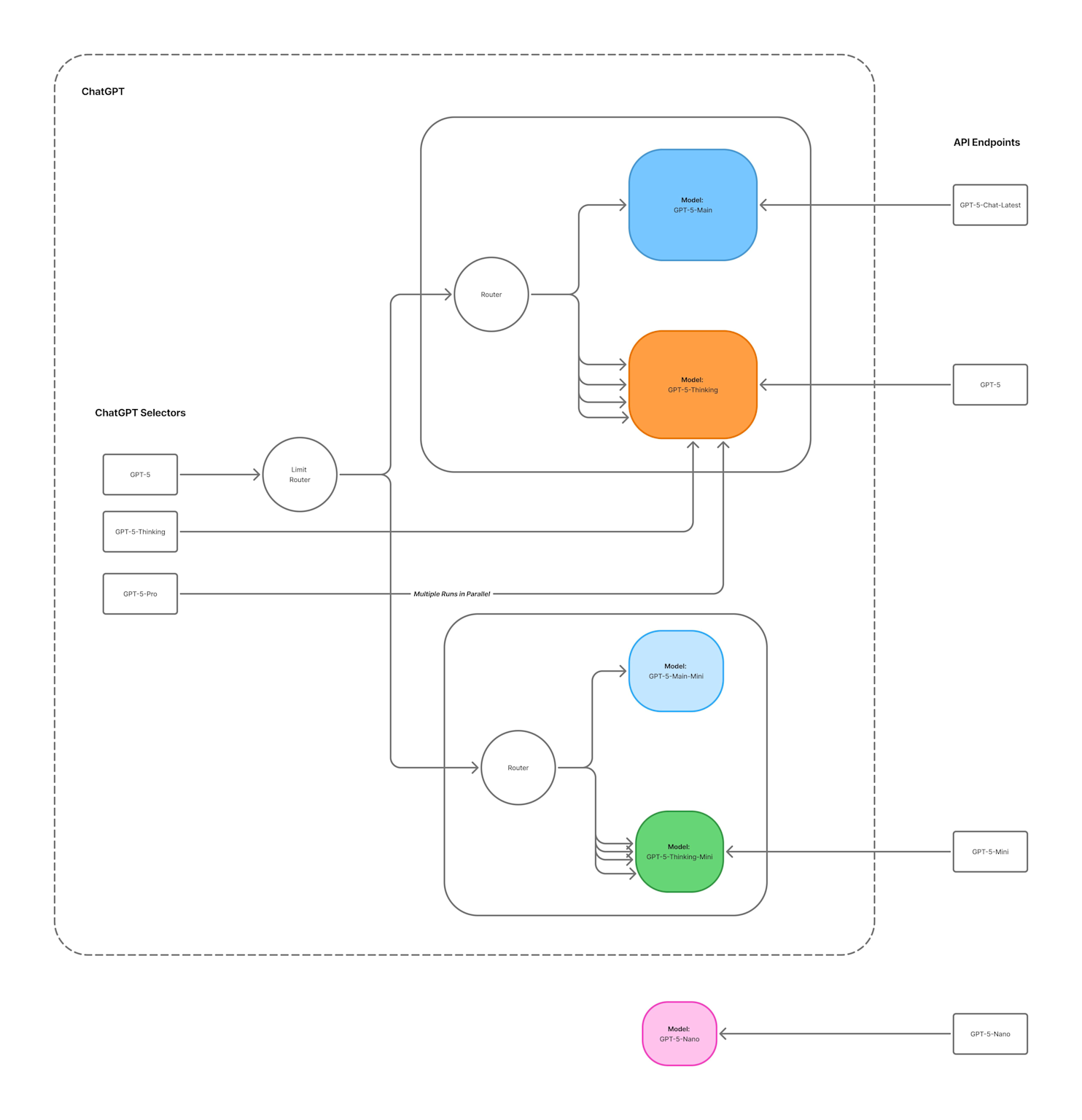
    Diagram showing the architecture and routing between various GPT-5 models and API endpoints

    Diagram showing the architecture and routing between various GPT-5 models and API endpoints 

    OpenAI officially released GPT-5 on August 7, 2025, introducing revolutionary reasoning capabilities that significantly surpass its predecessors. The new model features a 40% improvement in reasoning capabilities compared to GPT-4, along with a “thinking” mode that enables complex multi-step problem solving.

    GPT-5 unifies advanced reasoning, multimodal input, and task execution into a single system, eliminating the need to switch between specialized models. The model includes several variants optimized for different use cases: gpt-5gpt-5-minigpt-5-nano, and gpt-5-chat. A built-in routing system automatically decides when to provide instant answers versus engaging deeper reasoning capabilities for complex queries.

    However, the release faced unexpected user backlash, with Reddit users criticizing GPT-5’s “flat” tone and reduced creativity compared to GPT-4o. CEO Sam Altman responded by promising to restore GPT-4o access for Plus subscribers and acknowledged underestimating user attachment to the previous model.

    AI Hardware Revolution Accelerates

    Detailed diagram illustrating the infrastructure components of an AI data center, including power, cooling, and server rack setup

    Detailed diagram illustrating the infrastructure components of an AI data center, including power, cooling, and server rack setup 

    The global AI infrastructure race is intensifying with massive investments across chip development and data center construction. Google announced a $9 billion investment to build advanced AI data centers in Oklahoma, positioning these facilities as major hubs for training large AI models. Meanwhile, North Dakota is set to receive a $3 billion AI-focused data center in Harwood, expected to drive significant economic growth and job creation in the region.

    A futuristic humanoid robot in a high-tech lab showcasing AI robotics advancements

    A futuristic humanoid robot in a high-tech lab showcasing AI robotics advancements 

    NVIDIA continues to dominate the AI chip landscape with its upcoming Blackwell Ultra architecture, designed to optimize next-generation AI functions and support cloud providers in offering high-end AI services. Intel is also making significant strides with its Xeon 6 series processors, offering 30% higher memory speed than competitors and enhanced AI acceleration capabilities.

    Quantum Computing Meets AI

    The convergence of quantum computing and AI is accelerating in 2025. D-Wave Quantum released an open-source quantum AI toolkit on August 4, 2025, enabling developers to seamlessly integrate quantum computers into modern machine learning architectures. The toolkit provides direct integration between D-Wave’s quantum computers and PyTorch, focusing on training restricted Boltzmann machines (RBMs) for generative AI tasks.

    Japan’s new QIDO (Quantum-Integrated Discovery Orchestrator) platform, developed by Mitsui, QSimulate, and Quantinuum, combines quantum algorithms with classical AI to model chemical reactions at unprecedented precision. This breakthrough could significantly accelerate drug discovery and materials science research.

    AI Robotics Reaches New Milestones

    A 2025-era humanoid robot demonstrates folding laundry, showcasing advancements in AI and robotics technology

    A 2025-era humanoid robot demonstrates folding laundry, showcasing advancements in AI and robotics technology 

    The robotics industry is experiencing a transformative period with AI-powered humanoid robots becoming increasingly sophisticated. In Q1 2025 alone, robotics startups secured over $2.26 billion in funding, with more than 70% directed toward warehouse and industrial automation. Figure AI is reportedly in talks for a $1.5 billion funding round at a $39.5 billion valuation.

    Futuristic cityscape illustrating AI future trends for 2025 with digital brain and advanced technology elements

    Futuristic cityscape illustrating AI future trends for 2025 with digital brain and advanced technology elements 

    A groundbreaking development in China saw the creation of an AI-powered robot capable of playing badminton with humans, reacting in real-time to shots and demonstrating unprecedented adaptability. Meanwhile, Stanford University researchers demonstrated an autonomous “virtual lab” where AI agents independently ran experiments to develop new COVID-19 nanobody treatments, with over 90% of AI-proposed drug candidates proving experimentally viable.

    Massive Data Center Investment Wave

    McKinsey research projects that $5.2 trillion in global investment will be needed for AI data centers by 2030 to meet worldwide demand for AI compute power. This staggering figure reflects projections of 156 gigawatts of AI-related data center capacity demand by 2030, with 125 incremental gigawatts expected between 2025 and 2030.

    The investment breakdown shows 60% ($3.1 trillion) flowing to technology developers and chip manufacturers, 25% ($1.3 trillion) to power generation and transmission infrastructure, and 15% ($0.8 trillion) to builders for land, materials, and site development.

    Enterprise AI Adoption Gains Momentum

    A professional monitoring AI data center servers with organized networking cables and real-time equipment management

    A professional monitoring AI data center servers with organized networking cables and real-time equipment management 

    Enterprise AI adoption is accelerating despite ongoing challenges. A 2025 survey revealed that appetite for enterprise-wide AI adoption is up 25% compared to 2023. However, 28% of organizations still report using only 3-5 AI applications, suggesting difficulties in expanding from initial testing to broader implementation.

    Companies with formal AI strategies report an 80% success rate in AI adoption, compared to just 37% for those without a strategy. The use of generative AI in data engineering has more than doubled over the past year, with 65% of respondents now applying it to backend data functions.

    AI Safety and Regulation Developments

    Global AI governance frameworks are rapidly evolving. The EU AI Act’s General-Purpose AI Code of Practice was published on July 10, 2025, providing voluntary guidelines for AI model providers to demonstrate compliance with safety, transparency, and copyright obligations. China implemented mandatory labeling rules for AI-generated content, taking effect September 1, 2025.

    Canada refreshed its Advisory Council on Artificial Intelligence and launched the Safe and Secure Artificial Intelligence Advisory Group to advise on AI system risks. Six new organizations, including CIBC and Intel Corporation, signed onto Canada’s Voluntary Code of Conduct on AI development.

    Scientific Breakthroughs in AI-Driven Research

    AI is revolutionizing scientific discovery with remarkable breakthroughs. Profluent Bio used generative AI to create a novel CRISPR enzyme called OpenCRISPR-1 from scratch, representing a completely AI-invented genome-editing tool. UC San Diego researchers developed an AI tool that learns to interpret medical images using only a fraction of traditionally required data.

    AI is also accelerating materials discovery, with researchers using AI to design novel battery materials that could lead to longer-lasting, faster-charging, and more sustainable batteries. A universal AI detector now identifies deepfake videos with 98% accuracy across platforms and content types.

    Looking Ahead: The AI-Powered Future

    As we move through 2025, several trends are becoming clear. AI is transitioning from a tool-based approach to an integral part of business operations and daily life. Agentic AI systems that can autonomously plan and execute complex workflows are rapidly emerging, with Gartner predicting that 33% of enterprise software applications will include agentic AI by 2028.

    The convergence of AI with quantum computing, robotics, and advanced hardware is creating unprecedented possibilities for solving complex global challenges. From climate change mitigation to healthcare breakthroughs, AI’s transformative potential is being realized across every sector of the economy.

    The year 2025 is proving to be a pivotal moment in AI development, with technological capabilities advancing at an extraordinary pace while regulatory frameworks struggle to keep pace. As these technologies continue to mature and integrate into our daily lives, their impact on society, business, and human potential appears limitless.

  • DIY Custom Phone Case with Cricut

    DIY Custom Phone Case with Cricut

    Introduction

    Want to give your phone case a unique and personal touch? With a Cricut machine, you can easily create a custom design that reflects your style. Whether you prefer bold patterns, cute illustrations, or inspirational quotes, this step-by-step guide will show you how to customize your phone case using vinyl.

    Supplies Needed

    • Cricut machine (Cricut Joy Xtra, Explore, or Maker)

    • Cricut Design Space

    • Permanent adhesive vinyl

    • StandardGrip cutting mat

    • Weeding tool

    • Transfer tape

    • Clear or solid phone case

    • Scraper tool

    Step 1: Create Your Design

    Open Cricut Design Space and either create a custom design or choose a pre-made one. Adjust the size to fit your phone case.

    Step 2: Cut the Vinyl

    Place the vinyl on the StandardGrip cutting mat and load it into your Cricut machine. Follow the on-screen instructions to cut your design.

    Step 3: Apply the Vinyl

    Weed out any excess vinyl using a weeding tool. Then, place transfer tape over the design and use a scraper to press it down firmly. Carefully peel off the backing and apply the design to your phone case, smoothing out any bubbles.

    Conclusion

    That’s it! You now have a custom phone case that’s stylish and uniquely yours. Experiment with different colors and patterns to match your mood or outfit. Enjoy your one-of-a-kind creation!

  • DIY 2025 Stacked Calendar Tutorial Using Cricut Joy Xtra

    DIY 2025 Stacked Calendar Tutorial Using Cricut Joy Xtra

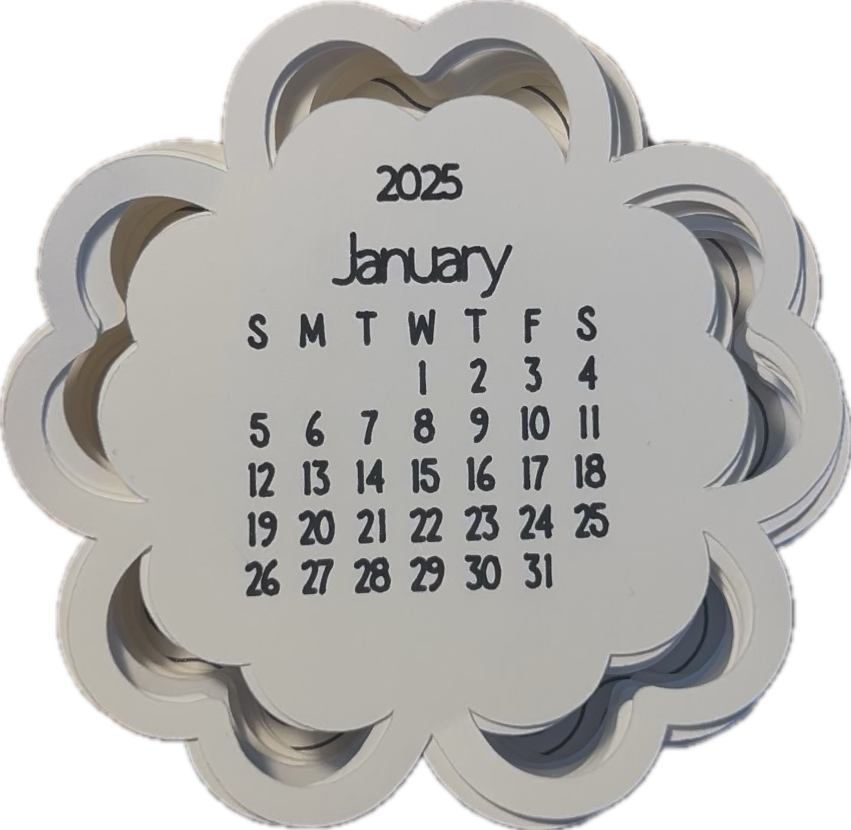
    If you’re looking for a unique and functional craft to brighten up your desk or give as a gift, this DIY stacked calendar is perfect! With a pre-made design available in Cricut Design Space, creating this project is quick and easy. Each month is beautifully layered in a floral design, with both the calendar and backing cut and drawn by your Cricut Joy Xtra. Follow this step-by-step guide to bring your project to life.

    Materials Needed:

    • Cricut Joy Xtra (or other compatible Cricut machine)

    • Cardstock in your preferred colors

    • Cricut StandardGrip mat

    • Cricut Pen (fine-point for drawing)

    • Glue or double-sided adhesive

    • Optional: Ribbon, magnets, or a small stand for display

    Step-by-Step Instructions:

    Step 1: Access the Pre-Made Design

    1. Open Cricut Design Space on your device.

    2. Search for a stacked calendar template in the design library. Look for one featuring a floral or scalloped edge, similar to the style shown here.

    3. Customize the design if desired (e.g., change font styles or colors).

    Step 2: Load Your Cricut Mat

    1. Place a piece of cardstock onto your Cricut StandardGrip mat, ensuring it is securely adhered.

    2. Load the mat into your Cricut machine.

    Step 3: Cut and Draw

    1. The pre-made design will already include the drawing operation for the calendar dates and the cutting operation for the scalloped edges.

    2. Insert the Cricut Pen into the machine for drawing, then press “Go.”

    3. Once the machine finishes drawing, it will automatically switch to cutting. Repeat this process for all 12 months.

    Step 4: Create the Backing

    1. Cut an extra scalloped shape from a thicker piece of cardstock to use as the calendar backing.

    2. If desired, glue multiple layers together to add more stability.

    Step 5: Assemble the Calendar

    1. Stack the months in chronological order, starting with January on top and December on the bottom.

    2. Attach the stack to the backing using glue, a brad, or ribbon to make it easy to flip through the months.

    Step 6: Add Finishing Touches

    • Add embellishments like stickers, metallic accents, or ribbon to make your calendar stand out.

    • If gifting, consider adding a magnet or stand for easy display.

    Enjoy Your Calendar!

    Your 2025 stacked calendar is now ready to display or gift. Thanks to Cricut Design Space’s pre-made designs, creating this beautiful and functional project has never been easier.

    Share your finished projects with us—we’d love to see your creativity! Happy crafting!

  • How to Make a Watercolor Birthday Card with Cricut

    How to Make a Watercolor Birthday Card with Cricut

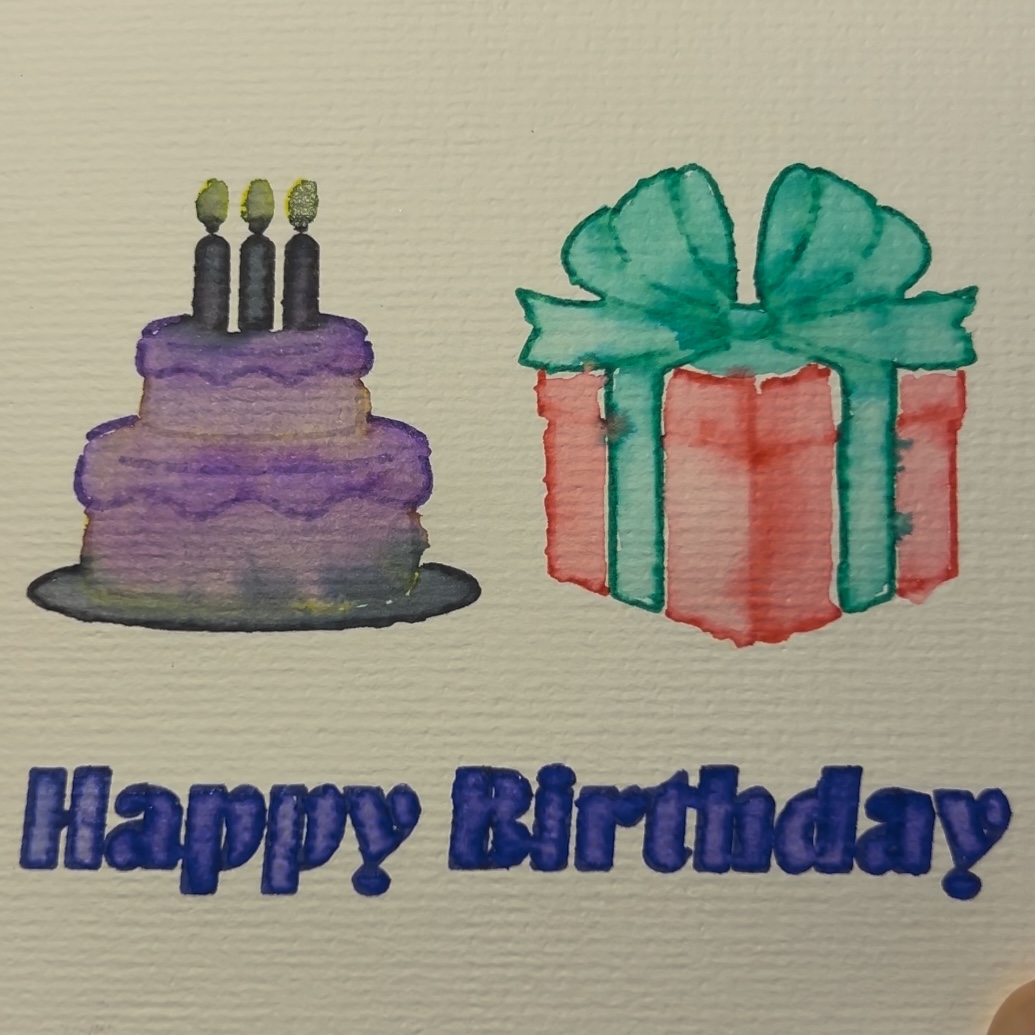
    Creating a beautiful watercolor birthday card with your Cricut is a fun and unique way to send a heartfelt message. With Cricut’s Watercolor Markers and the Freehand Watercolor Brush, you can achieve a stunning blend of machine precision and artistic creativity. Let’s dive into this step-by-step guide!

    Materials Needed:

    • Cricut Joy Xtra (or another Cricut machine)
    • Cricut Design Space app
    • Cricut Watercolor Markers
    • Freehand Watercolor Brush
    • Cricut Watercolor Cards (pre-folded)
    • Cricut Card Mat
    • Water container and paper towel (for cleaning the brush)
    • Optional: Weeding tool for intricate designs

    Step 1: Design Your Card

    1. Open Cricut Design Space: Start a new project and search for a birthday card design or create your own.
    2. Incorporate Watercolor Elements: Add text, shapes, or images that you want the Cricut to draw with the Watercolor Markers. Keep the design simple for the best results.
    3. Size Your Design: Adjust the design to fit your Cricut Watercolor Card dimensions. A standard size like 5×7 inches works well.
    4. Assign Marker Lines: In the Layers panel, set your design elements to “Draw” and choose “Watercolor Marker” as the tool.

    Step 2: Set Up Your Cardstock

    1. Prepare the Mat: Place the Cricut Watercolor Card on the Standard Grip mat, ensuring it’s smooth and aligned.
    2. Load the Mat: Insert the mat into your Cricut machine.

    Step 3: Draw the Design

    1. Select the Material: In Design Space, choose the material setting compatible with your Cricut Watercolor Card.
    2. Load the Watercolor Marker: Insert the desired Watercolor Marker into your Cricut’s pen holder.
    3. Start the Draw: Click “Go” in Design Space, and the Cricut will draw the design onto the card.
    4. Unload the Mat: Once completed, carefully remove the mat and card.

    Step 4: Blend with the Freehand Watercolor Brush

    1. Prepare the Brush: Dip the Freehand Watercolor Brush into clean water and blot off excess moisture on a paper towel.
    2. Blend the Colors: Gently run the brush over the drawn lines to activate and blend the watercolor ink. Work in small sections for better control.
    3. Layer Colors (Optional): Add depth by layering additional colors with the markers and blending them again.

    Step 5: Add the Finishing Touches

    1. Add a Message: Write your personal message inside the card using a pen or marker.
    2. Embellish (Optional): Add extra decorations like stickers, glitter, or ribbon for a more festive look.

    Step 6: Present Your Card

    Your watercolor birthday card is now complete! Pair it with an envelope and give it to your loved one to brighten their special day.

    Tips for Success

    • Use light, even pressure when blending with the brush to avoid tearing the cardstock.
    • Test your markers on a scrap piece of watercolor paper before starting.
    • Clean the brush between colors to prevent muddy blends.

    This project is a perfect way to combine technology and artistry for a truly unique creation. Happy crafting!

  • How to Make a January Calendar with Cricut

    How to Make a January Calendar with Cricut

    Creating a custom calendar for the new year is a fun and practical project, especially with the help of your Cricut machine. In this guide, we’ll show you how to design and make a January calendar where the month and grid boxes are drawn by the Cricut, and the numbers are added by hand for a personal touch.

    Materials Needed:

    • Cricut Joy Xtra (or another Cricut machine)
    • Cricut Design Space app
    • Cricut-compatible pen (fine tip, your choice of color)
    • Cardstock or thick paper (12×12 or 8.5×11 inches, depending on your desired calendar size)
    • Ruler (optional for alignment)
    • Pencil or pen for hand-drawn numbers

    Step 1: Design Your Calendar

    1. Open Cricut Design Space: Start a new project.
    2. Create the Grid:
      • Use the “Shapes” tool to draw a rectangle for the overall calendar size.
      • Add smaller rectangles to represent the calendar boxes (7 columns for days of the week and 5 rows for weeks).
      • Align and distribute the rectangles evenly using the “Align” tool.
    3. Add the Month Title:
      • Use the text tool to type “January” at the top of your calendar.
      • Select a font that pairs well with your calendar’s style.
    4. Group and Attach:
      • Group all grid elements and the month title together.
      • Attach them to ensure they draw as one piece on your Cricut.

    Step 2: Prepare Your Cricut

    1. Select the Material: In Design Space, choose the material setting that matches your cardstock.
    2. Load the Pen: Insert the Cricut-compatible pen into your machine’s pen holder.
    3. Position the Cardstock: Place your cardstock onto the standard grip mat and ensure it’s smooth and aligned.

    Step 3: Draw the Calendar

    1. Load the Mat: Insert the mat into your Cricut machine.
    2. Start Drawing: Click “Go” in Design Space. The Cricut will draw the month title and grid boxes on your cardstock.
    3. Unload the Mat: Once completed, remove the mat and carefully peel off the cardstock.

    Step 4: Add the Numbers by Hand

    1. Mark the Days: Use a ruler or the drawn grid lines to guide you.
    2. Write the Numbers: With your preferred pen or pencil, handwrite the numbers 1–31 in the appropriate boxes. This adds a personalized and creative touch to your calendar.

    Step 5: Finishing Touches

    1. Decorate (Optional): Add stickers, stamps, or doodles to embellish your calendar.
    2. Display: Hang your calendar on the wall, pin it to a corkboard, or place it in a frame for a polished look.

    Tips for Success

    • Test your pen on a scrap piece of cardstock to ensure smooth writing.
    • Use light pencil marks to draft the numbers before committing to ink.
    • If using a smaller Cricut machine, adjust the calendar size to fit your mat.

    Creating a January calendar with Cricut is a great way to stay organized while expressing your creativity. Happy crafting!

  • How to Make a Happy Birthday Cutaway Card with Cricut

    How to Make a Happy Birthday Cutaway Card with Cricut

    If you’re looking to create a custom and thoughtful birthday card, a Cricut machine is your perfect crafting companion. In this step-by-step guide, we’ll walk you through the process of making a happy birthday cutaway card using your Cricut.

    Materials Needed:

    • Cricut Joy Xtra (or another Cricut machine)
    • Cricut Card Mat (specific to your machine)
    • Cutaway card kit (includes card base and adhesive backer)
    • Cricut Design Space app
    • Fine-point blade (included with most Cricut machines)
    • Weeding tool (optional)
    • Scraper tool (optional)

    Step 1: Prepare Your Design

    1. Open Cricut Design Space: Launch the app and sign in.
    2. Search for a Design: Type “Happy Birthday Cutaway Card” in the projects search bar. You can also create your own design using text and images.
    3. Select the Card Size: Choose a pre-made design that matches the size of your cutaway card base or adjust the canvas to match your card’s dimensions.
    4. Customize (Optional): Modify the design by adding names, icons, or special details. Ensure all elements fit within the card base dimensions.

    Step 2: Set Up the Card on the Mat

    1. Place the Card: Remove the adhesive liner from the back of the card base. Stick the adhesive backer onto the inside of the card base, ensuring it’s smooth and aligned.
    2. Position on the Mat: Place the prepared card onto the Cricut Card Mat, ensuring it’s properly aligned and secured.
    3. Load the Mat: Insert the card mat into your Cricut machine.

    Step 3: Cut the Design

    1. Select the Material: In Design Space, choose the material setting for “Cutaway Card” or “Cardstock.”
    2. Load the Blade: Ensure the fine-point blade is installed in your Cricut machine.
    3. Start the Cut: Press “Go” in Design Space, and the Cricut will begin cutting your design.

    Step 4: Weed the Design

    1. Remove Excess Material: Use the weeding tool to gently remove the negative spaces from the design.
    2. Inspect the Design: Ensure all intricate details are cleanly cut and free of debris.

    Step 5: Add Final Touches

    1. Decorate (Optional): Add embellishments like stickers, glitter, or hand-drawn details to personalize the card further.
    2. Write a Message: Use Cricut-compatible pens to write a heartfelt message inside, or do it by hand for a personal touch.

    Step 6: Present Your Card

    Your Happy Birthday Cutaway Card is now ready to impress! Hand it over or send it in the mail for a unique, handmade way to celebrate someone’s special day.

    Tips for Success

    • Test the design on scrap material if you’re trying something new.
    • Ensure your fine-point blade is sharp for clean cuts.
    • Keep your Cricut Card Mat clean and free of debris for better adhesion.

    Happy crafting!

  • Make this Awesome Bookmark with Cricut!

    Make this Awesome Bookmark with Cricut!

    Hey there, crafters! 🎨 Looking for a fun and creative project? Today, we’re making an awesome custom bookmark with our Cricut! ✂️ Perfect for gifting or adding a personal touch to your favorite reads. Let’s get started!

    Supplies

    • Foil tranfer kit
    • Cricut
    • Laminator
    • Lamination sheets
    • Other (blade, pen)

    Step 1: Design

    You can design your own bookmark or use my template.

    Step 2: Follow the Prompts on Design Space

    Design Space will give you prompts on how to make your design. These may include things like cutting, drawing, and foiling.

    Step 3: Laminate

    Laminate and cut out the design to protect it and make it more sturdy.

    Step 4: Add String/Tassel

    Hole punch your bookmark and add string or tassel to accessorize it.

    That’s it! Your custom bookmark is ready to use or gift. 🎉 Let me know in the comments what design you chose or if you have any tips for personalizing bookmarks. Don’t forget to like, subscribe, and share for more creative Cricut projects. Until next time, happy crafting! ✨

  • Make a 2025 T-Shirt with Cricut

    Make a 2025 T-Shirt with Cricut

    Ready to start 2025 in style? Whether you’re celebrating the new year or creating something unique, making a personalized shirt with your Cricut is a fun and creative way to show off your design skills. In this guide, we’ll walk you through the process step-by-step, from setting up your design to transferring it flawlessly onto your shirt. Let’s make something amazing!

    What You’ll Need

    • Cricut machine
    • HTV Iron-On
    • Cricut Design Space app
    • Additional tools like a weeder or scraper

    Step-by-Step Guide

    1. Prepare Your Design

    Open Cricut Design Space and select or customize your design. Choose a pattern or text suitable for the project.

    2. Cut the Design

    Follow the prompts in Design Space and cut the design.

    3. Heat the Shirt

    Use the Circut Heat to find the ideal setting for your material.

    4. Peel the Plastic

    Wait for the design to cool, then peel slowly.

    And there you have it—your very own custom 2025 shirt! With just a few tools, a Cricut machine, and a bit of creativity, you can craft wearable art that’s uniquely yours. Don’t forget to share your creations with friends and family, or even start on your next Cricut project. Happy crafting! 🎉

  • Make a Calendar with Cricut

    Make a Calendar with Cricut

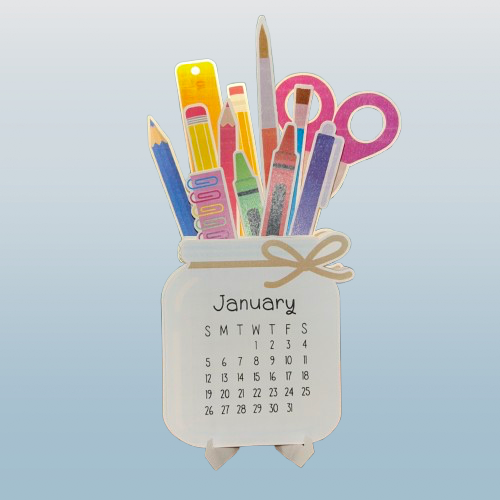
    Welcome to this step-by-step tutorial on creating a custom calendar with your Cricut! Whether you’re a beginner or a seasoned crafter, this project is perfect for adding a personal touch to your desk or gifting something unique. In this tutorial, I’ll walk you through everything you need, from preparing your design to assembling your final masterpiece. Let’s dive into it!

    What You’ll Need

    • Cricut machine
    • Cardstock
    • Cricut Design Space app
    • Additional tools like a weeder or scraper
    • Printer

    Step-by-Step Guide

    1. Prepare Your Design

    Open Cricut Design Space and select or customize your design. Choose a pattern or text suitable for the project. I used https://design-beta.cricut.com/landing/project-detail/66b57aa9e75bc5edb00d3147 by Vanessa from DIY Craft Tutorials.

    2. Print the Paper

    Follow the prompts in Design Space and print the design.

    3. Cutting the Design

    The Cricut will scan and cut the paper according to the marks on the paper.

    4. Assemble the Project

    Fold the stand, and place the months in order. Use the video for further instructions.

    And there you have it—your custom Cricut calendar, ready to showcase all year long! This project is a fantastic way to combine creativity and functionality, and I hope you had as much fun making it as I did sharing the process with you. Don’t forget to share your creations in the comments or tag me on social media. Until next time, happy crafting!